
Skip to content
0%
DoctoremiaA world of clinical perspectives
Physician shadowing

One mission.
One system.

For students looking for a place to learn.
For clinics ready to offer one.
See what you can do

Doctoremia — physician shadowing, with a clearer way in.

What you can do here

One platform.
Find your place in it.

Doctoremia brings physician shadowing and the work around it into one place. Explore as a student, host through a clinic, or contribute as a volunteer.

Students

Find a place to learn. Arrive prepared.

For pre-med and pre-health students exploring physician shadowing.

  1. Find a clinic
  2. Apply & prepare
  3. Record experience

At a glance

  • Clinic discovery & saved clinics
  • Applications with clear next steps
  • Session requests & preparation
  • Your shadowing record
Explore the student guide
See all 9 student features
  • Clinic discovery & saved clinics

    Explore clinic profiles, specialties, locations, requirements and hosting availability. Keep a shortlist of clinics to revisit; discovery depends on the network’s rollout.

  • Applications with clear next steps

    Submit a shadowing request, see the clinic’s decision and follow the preparation requirements connected to that application.

  • Session requests & preparation

    Request an open time after approval, distinguish requested from confirmed sessions, and review dates, clinic timezone and preparation details.

  • Your shadowing record

    Review completed platform sessions and log other experience, with self-reported hours kept separate from platform records.

  • Application conversations

    Keep messages with the clinic and application they belong to, with unread-message indicators and conversation history.

  • Documents & requirements

    Manage the documents and preparation items needed for your applications, and follow review feedback.

  • A personal next-step dashboard

    See upcoming sessions, actions needing attention, application progress, updates and profile completion in one place.

  • Profile & notification preferences

    Maintain your school, study background and introduction, and choose notification preferences.

  • Mutual mentorship Planned rollout

    Discover opted-in mentors, request a relationship and use a private conversation after mutual agreement.
Clinics

Welcome students. Keep hosting organized.

For clinic owners and teams offering physician-shadowing experiences.

  1. Set up your clinic
  2. Review students
  3. Manage sessions

At a glance

  • Clinic profile & hosting requirements
  • Application review
  • Scheduling & session review
  • Student communication
Explore the clinic guide
See all 11 clinic features
  • Clinic profile & hosting requirements

    Present your location, specialties and expectations, submit clinic details for review and maintain your hosting information.

  • Application review

    Review student information and requirement status, approve or decline requests, and keep decisions connected to the student record.

  • Scheduling & session review

    Publish individual sessions or a month of availability, review booking requests and manage changes, cancellations and completion.

  • Student communication

    Keep clinic messages alongside the relevant application so your team can follow the same context.

  • A readable day and week view

    Use a weekly calendar when space allows and a readable agenda on smaller screens, with local times, hosts and booking status.

  • Document and preparation review

    Review submitted documents and the requirements students need to meet before a visit.

  • Hosts & student rosters

    Assign a host physician, inspect confirmed visits and review students connected to your clinic.

  • Team roles & location access

    Invite staff and manage location-specific access, with owner, manager, coordinator and viewer responsibilities kept distinct.

  • Printable schedules

    Open day or week schedules in a print-friendly format for your clinic’s workflow.

  • Clinic settings & notifications

    Maintain location details, hosting requirements, specialties and notification preferences.

  • Support requests & assigned assistance

    Ask the team for help and follow the conversation attached to a clinic-support assignment.

Volunteers

Turn your time and connections into contribution.

For people helping clinics, supporting students and building local connections.

  1. Find your starting point
  2. Contribute together
  3. Keep a service record

At a glance

  • Clinic introductions
  • Assigned clinic work
  • Student mentorship
  • Coordination with the team
Explore the volunteer guide
See all 11 volunteer features
  • Clinic introductions

    Share a clinic lead, explain your connection and follow the recorded response. An introduction is distinct from a clinic becoming ready to host.

  • Assigned clinic work

    Follow activation and training steps, review specific assignment offers and keep accepted work with its clinic conversation.

  • Student mentorship

    Opt into supporting a student and keep an agreed mentorship relationship in a private conversation.

  • Coordination with the team

    Use a dedicated team conversation and an overview that points to available tasks, replies and mentees.

  • Shared clinic efforts Planned rollout

    Join a clinic effort as a peer, follow applicable checklist steps, claim or release work, check in and discuss progress.

  • Considerate clinic outreach Planned rollout

    Check known clinic matches and recorded preferences, and coordinate individual contact actions without reserving the entire clinic.

  • Service hours & review Planned rollout

    Save private time drafts, submit records for review, make revisions and export records. Student shadowing and volunteer service remain separate.

  • Contributions & role history Planned rollout

    Review specific contributions, recorded role periods and associated later outcomes, without implying sole credit for shared results.

  • Chapters & private channels Planned rollout

    Join optional chapters through invitations, participate in scoped conversations and follow chapter coordination.

  • Chapter leadership & coverage Planned rollout

    Apply to support a chapter and use role-scoped leadership, membership and continuity processes.

  • Consent-aware network atlas Planned rollout

    Explore geographic network context built from eligible records and chosen visibility, rather than precise individual locations.

A clear picture of availability. Clinic discovery depends on launch availability and participating clinics. Workspace access depends on your role and account status. Features marked Planned rollout are additional capabilities being prepared for release.

Across the community

Learn from each other.
Contribute with purpose.

Questions, experiences, practical advice and clinic suggestions each have a place. Community discussion, mentor discovery and evidence-specific credential labels are part of the planned rollout.

Learning resources and feedback help you find guidance and tell us what would make your experience better.

Explore community, trust & support features
  • Your year in medicine Planned rollout

    Review your shadowing, mentoring, clinic hosting and volunteer contributions in private role chapters. Save reflections or share only the highlights you select.

  • Milestones, journeys & gratitude Planned rollout

    Keep milestones private or submit a story for public review. Invite connected supporters to approve an acknowledgement, with control to withdraw it later.

  • Six purposes for a useful conversation Planned rollout

    Ask questions, share journeys, write practical advice, discuss shadowing, explore mentorship or suggest a clinic. Practical-guide posts currently use the general post editor.

  • Nationwide and local discovery Planned rollout

    Find discussions by topic or keyword, and optionally by subject city, state or nearby radius. A chapter is not required.

  • Explicit public and private audiences Planned rollout

    Choose community-wide posting or an eligible private chapter or effort audience; private access follows current membership.

  • Discussion, replies and accountability Planned rollout

    Use a chosen community identity, reply, vote, review corrections, report content or block another account, with moderation and appeal processes.

  • Mentor discovery with context Planned rollout

    Browse opted-in profiles with interests, experience and current or former schools. A request does not create a relationship until accepted.

  • Specific credential evidence Planned rollout

    Submit private evidence for independent review and choose whether an eligible review label appears on a mentor profile. A label states what was checked; it is not a general guarantee.

  • Feedback from any page

    Open a feedback draft without losing your place, optionally attach a screenshot and send it to the team after signing in.

  • Learning resources

    Read the site’s shadowing and clinic guidance. Additional resource publishing is subject to rollout.

Behind the scenes: operations & support

These workspaces are for authorized Doctoremia staff. They support the people using the platform; they are not public account roles.

  • Role-scoped review queues

    Authorized staff can review their assigned clinic, volunteer, mentorship and support work without receiving every administrative permission.

  • Clinic verification and readiness

    Inspect clinic details and evidence, request corrections and record decisions before public visibility.

  • Clinic registry and referral review

    Review leads, canonical sites and aliases, separate hosting interest from contact permission, and publish eligible shared efforts.

  • Volunteer activation and assignments

    Manage activation, training evidence, assignment handoffs and related support conversations.

  • Chapter review and continuity

    Review chapter applications, leadership and coverage when a chapter needs a handoff.

  • Service-time and credential review

    Review submitted records, retain revision history and apply evidence-specific review decisions.

  • Community moderation and appeals

    Review reports and clinic suggestions, record moderation reasons and handle independent appeals against specific decisions.

  • Safety and account access

    Handle incidents, account restrictions and appeals using the relevant role permissions.

  • Website authoring and publication

    Create and edit guides, preview drafts, handle edit conflicts and publish or withdraw supported content; release availability is controlled.

  • Feedback, audit and operations health

    Triage product feedback, inspect recorded actions and review operational readiness without treating unavailable data as success.

Still finding your place? See how it works or contact the team. You can explore these guides without an account.

For students

You wouldn’t visit every hotel just to ask
if a room is available.

Finding a place to shadow shouldn’t work that way.

The path to medicine already asks enough of you. Find opportunities, understand what each clinic expects, and show up ready to learn. We’ll handle the coordination.

Inside Doctoremia

Actual interface · Fictional sample data

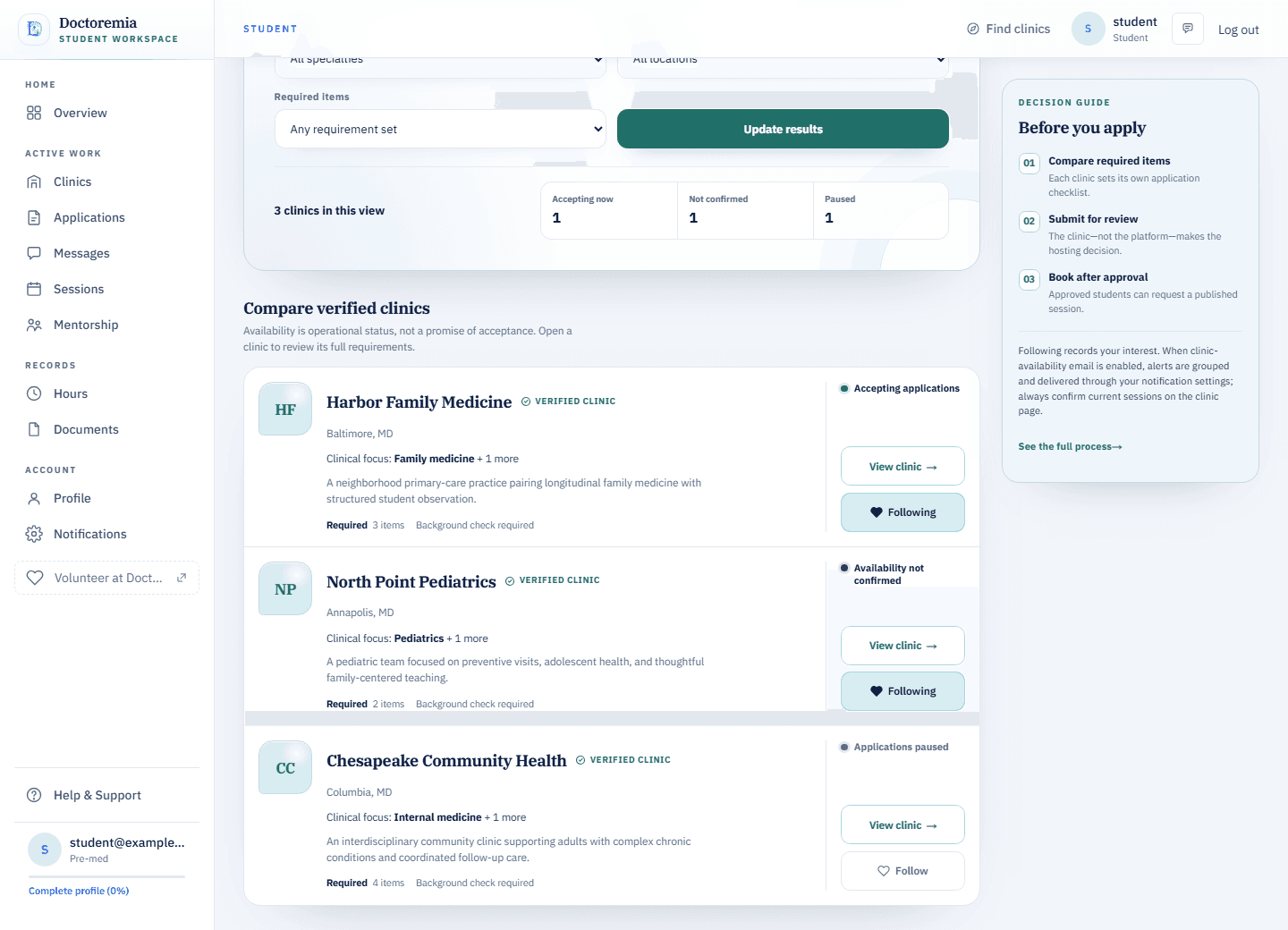
Student view
Student workspace with clinic filters, opportunity cards, and fictional sample data.

Show up ready to learn.

See available opportunities and what to prepare in one place. No cold-call maze and no scattered instructions.

Find shadowing opportunities
For clinics

Thank you for giving students
a place to learn.

More time to teach. Less to coordinate.

Opening your clinic to a student takes time, trust, and generosity. Doctoremia keeps requests, requirements, scheduling, and communication in one place—so your team can focus on teaching, not administrative back-and-forth.

Inside Doctoremia

Actual interface · Fictional sample data

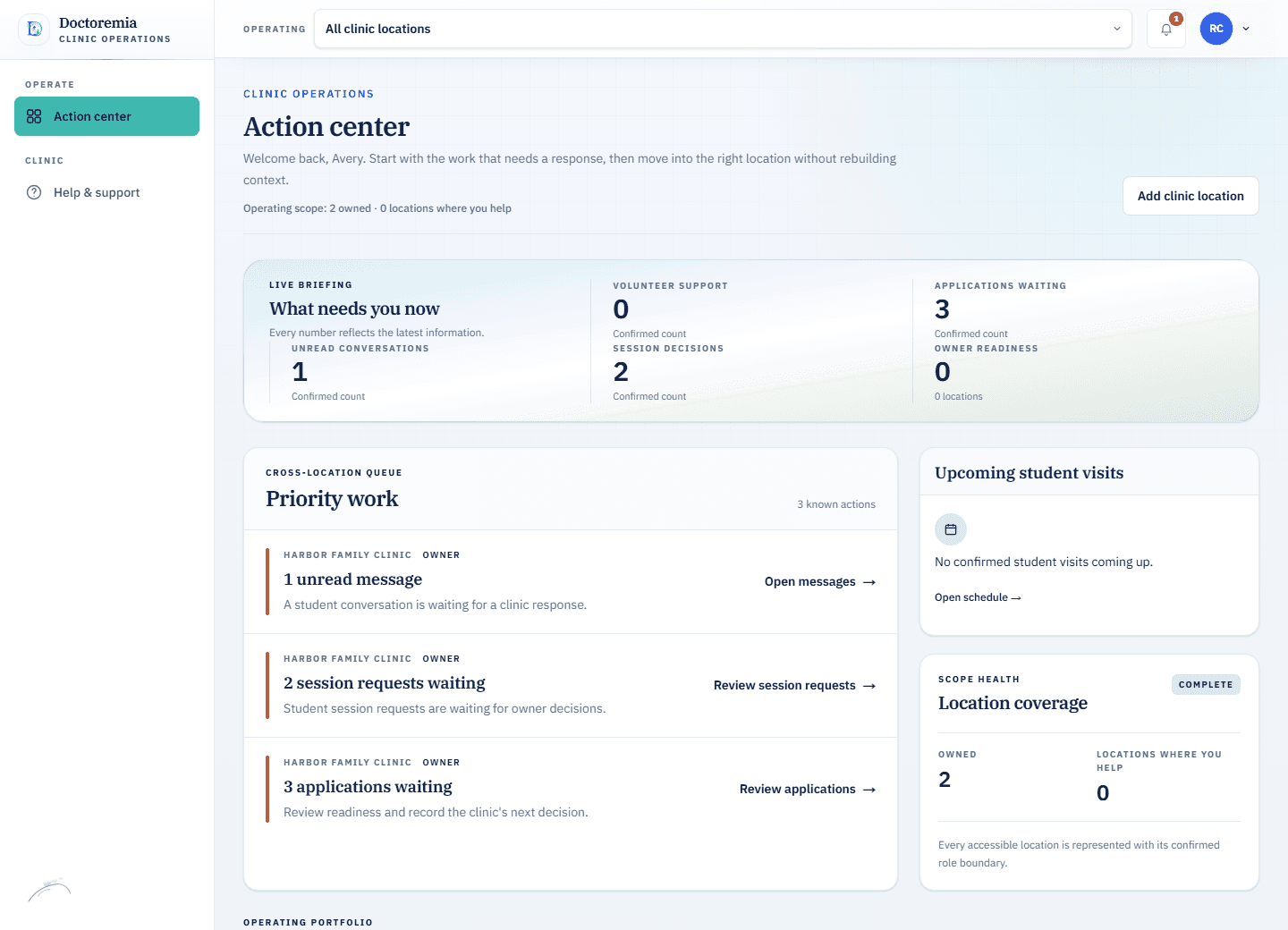
Clinic view
Clinic workspace with requests, applications, location information, and fictional sample data.

Keep the work together.

Review requests, scheduling, requirements, and next steps without another email chain.

Offer shadowing
For volunteers

How do I get
involved?

Choose the way you’d like to help.

Refer a clinic, mentor a student, or support the network in the way that fits you.

Get involved

Help improve Doctoremia

What could work better?

Query strings and private link tokens are excluded. Your draft stays here when you close this panel.

Upload or paste a PNG or JPEG, up to 2 MB. Review the image and remove private information before sending. Only you and authorized reviewers can access the attachment.